Rekindling my Journaling with the Day One App

A snapshot of my Day One photos. I take these for myself, so some of them are silly.

I’ve been off-and-on journaling for many years. Like most things I do in my free time, I tend to wax and wane on passion for the task.

I’ve revisited my Day One app the past month and I am finding it incredibly enjoyable to jot down thoughts again. It’s incredibly helpful that I don’t set any boundaries or expectations for myself in what I capture. Sometimes it’s a simple sentence, others it’s a photo. Getting into the habit again has got me feeling happy about writing things down.

I’ve also been pushing myself to take more photos during the week as a way to capture my day. Knowing that the photos are just for me helps me not care so much about content, framing or anything other than getting the moment captured. Day One allows me to pull these in after the fact and note my thoughts or just leave it as a snapshot of my day.

Revisiting my timeline has also been a treasure lately. Day One surfaces entries from years past with an ‘On This Day’ category. It’s nice to look back and see what was happening in my life. Having this all completely outside of any social media or online setting really feels empowering. I’m now journaling for my own pleasure, knowing that a future me will look back and smile (or cry, judging by how bad some of my photos are).

Day One makes it easy to capture your thoughts, which is important if you want to ensure you build a solid habit. Starting small, with easy steps can help get yourself into a habit. Friction from how an app works, or more likely how well it doesn’t work, will eventually cause you to lose interest.

The app also tags your entries automatically with the date, time, location, weather and other metrics you can toggle on and off. I like being able to visit my timeline and switch to map view to see posts I wrote when I was on vacation or traveling.

I’ve been reading a lot of blog content lately on writing blog content. It seems retarded in a way, but I’m looking at it as a way to reinforce my own writing, whether it’s here on my site or in my journal. The act of writing down your thoughts is powerful, and it can have lasting, positive effects. It helps me think through things in ways that just reading or thinking alone can’t.

Matthias Ott had a great post recently titled “Just Put Stuff Out There” that really resonated.

Here is a thought. Maybe, we are overthinking it. Maybe, the one thing we should care most about is just putting stuff out there.

Matthias Ott

The same concept goes for journaling. Don’t over-think it. You are writing for yourself here, not for the public. Your future self is your audience.

So many small bits of life happen in a year that shape who you are. Unless you have some photographic memory, you’re going to forget these things. Maybe you’ll remember bits and pieces, but having a photo and/or some thoughts on the day will reopen those memories like nothing else.

A related blog post from Jim Nielsen notes these important thoughts:

Each voice is individual and matters

Slow is ok

Diversified and independent is good

Not fitting a pattern is ok

Not being easily commodified is ok

Jim Nielsen’s Blog

I know I’m quoting people about blogging here but writing about journaling. The concept is the same to me. Write for yourself first. Write often, even if you have some nagging, weird feeling it’s dumb. Take some pictures just for you to remember something. Take a picture of the sidewalk, a tree, your patio, or your face. Toss a sentence in about what made you take that photo and then walk away and live life until the next moment you want to capture comes along. Your future self will look back and remember. And that is worth every second you may have felt you wasted taking the time to write.

The NYT wrote about Day One a few years back and it’s still a good read.

Day One creates something so rare it feels almost sacred: A completely private digital space.

Farhad Manjoo

If you’re on the fence about journaling, just start. Use an app, or grab a pen and some paper. The medium doesn’t matter. Just write.

Email Newsletters are Better Than You Think (Mostly)

Photo by Roman Kraft on Unsplash

I admit that I was late to the newsletter frenzy back in 2020. Getting interesting reading topics delivered to my email seemed counter to how I like to read that I held off for a while. I’m now a convert and actually appreciate the focused spot it has in my life.

I read most of my online content via RSS feeds in my Reeder app. My iPad is where I spend my time browsing articles and reading books. I check email there too, but it’s mostly spent deleting things I don’t want. RSS is fantastic because it allows me to pull in the content I want to read in a format that suits easy reading.

A coworker had mentioned a newsletter he subscribed to called DenseDiscovery. I browsed a few past issues and subscribed almost immediately. It was such a different format than reading a blog feed that I instantly fell in love. I’ve since expanded my newsletters a bit, but I keep the list short on purpose.

Newsletters have a wonderful way of feeling like a note from a friend who shares your interests. The curation behind the content and the careful, personal writing styles really appeal to me. Having a new email show up each week in my inbox reinforces this feeling of getting an email from a friend. I’ve tried the daily newsletters and quickly unsubscribed from those. The information may be interesting, but it quickly loses that curated patina and feels like a new firehose pointing at your face.

My current subs, in no particular order:

  • DenseDiscovery - Kai Brach has a personal intro to each letter on topics he cares deeply about. He sprinkles in some interesting links, books, thoughts from smart people on the web, and wraps with a silly GIF.
  • Sentiers - Patrick Tanguay sends out this weekly newsletter that often takes me 3-4 reads through to digest because the topics he covers are very deep. I love that it pushes me out of my comfort zone just a bit in terms of topics. From the synopsis, “a carefully curated selection of articles with thoughtful commentary on technology, society, culture, and potential futures”.
  • Benedict’s Newsletter - This is a news newsletter covering a range of topics with several short takes on some news highlights, followed by interesting links to more recent news. I really love his writing style and his insight into the topics he covers, which range across mobile, media and technology.

Vox recently posted an article on the newsletter boom that is worth a read as well.

Los Padres National Forest

Took a short, Level 1 camping overnight to Los Padres. Just me and The Eagle.

I'm a rewatcher

I enjoy movies quite a bit. I like some shows, but in general I lean towards movies for most of my media enjoyment. I prefer the encapsulated story lines versus an ongoing, spread-out story that may end up taking 15 seasons to finalize. A movie has a definite ending. I can jump in, get my fill, and move on.

I also rewatch movies a lot. I tend to rewatch movies more than watching new movies. There’s a comfort level I feel in seeing a movie many times. It’s a known story line, characters I know and enjoy.

Here are a few movies I often rewatch, in no particular order. Yes, I like Sci-Fi.

  • World War Z
  • The Thing (1982)
  • 2010 The Year We Make Contact
  • The Hobbit: An Unexpected Journey
  • Raiders of the Lost Ark
  • Rogue One: A Star Wars Story
  • Aliens
  • Arrival
  • Close Encounters of the Third Kind
  • The Martian

Hello Portland!

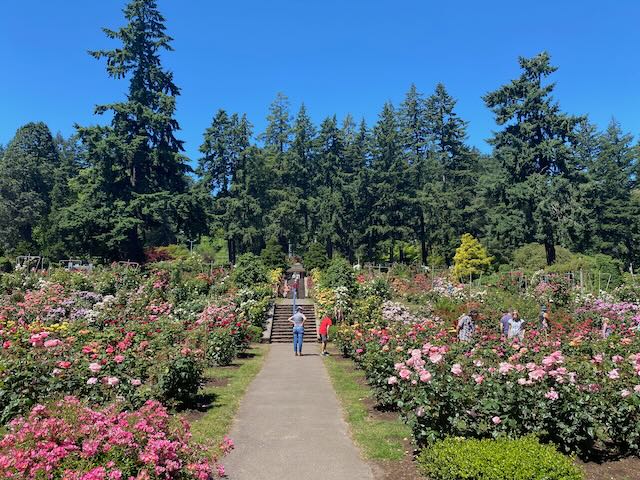
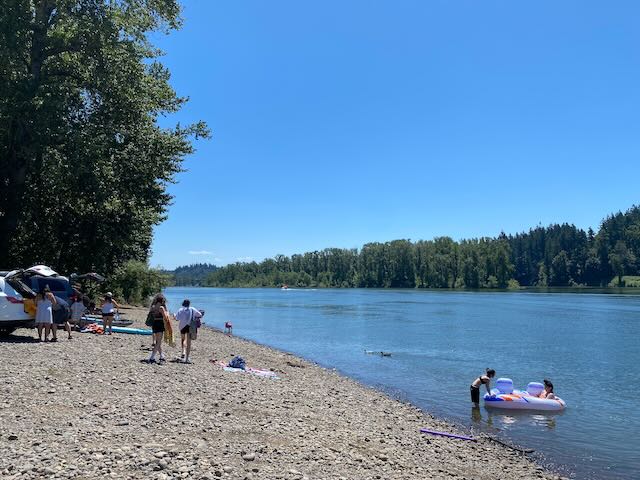
Took a trip up to Portland, Oregon last weekend for my niece’s wedding. I could not stop commenting on how green the city is. There are trees everywhere! It’s a beautiful city, with the Willamette river running right through the city center.

A walk through Washington park rose garden
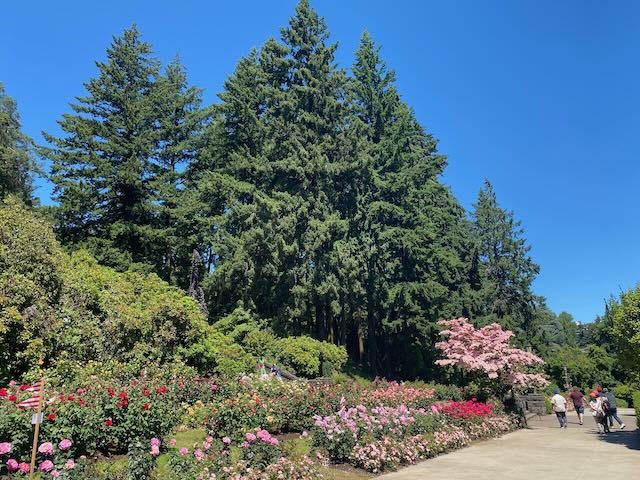
A walk through Washington park rose garden

A walk through Washington park rose garden
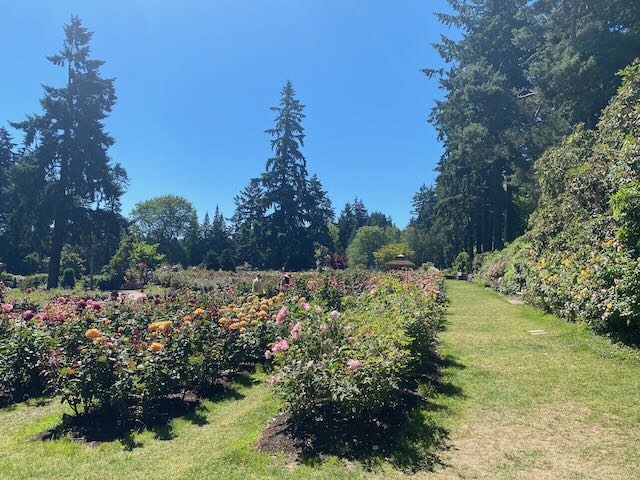
Stopped down by the Willamette river for some chill time.
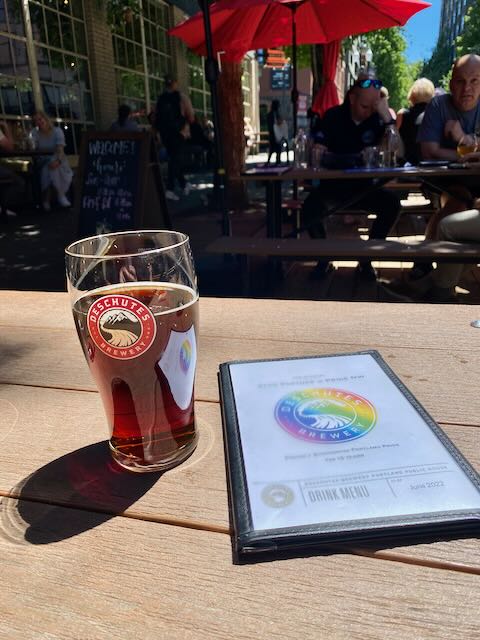
Enjoying the local breweries.

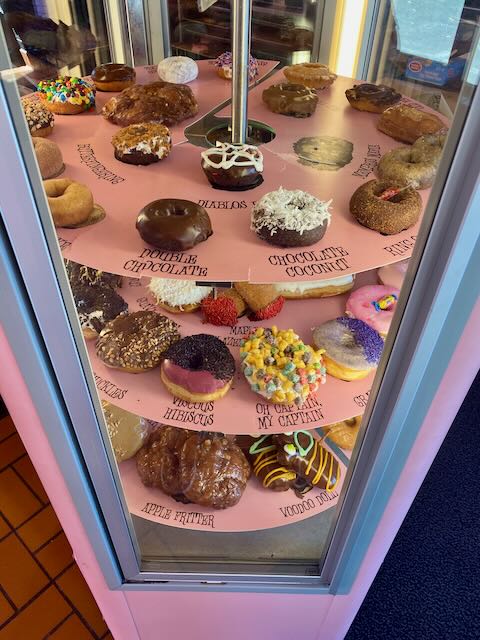
Voodoo Donuts are a must try

River view from a walk around downtown.
Resurrecting the blog

Several months ago I got the itch to start posting here again. It has been many years since I had anything resembling a personal blog. Blogging is different than social media, it takes more effort to maintain. And like exercise or a hobby, if you don’t keep at it it can be easy to let go.

In restarting things, I wanted to resurrect my previous blog posts. The problem was, I didn’t take care in archiving things in a meaningful way. It’s sad to say, I just never took care in keeping my own content. Much of what I’d written in the past was tied to the platform I was using. Being a stereotypical web developer, I changed platforms several times over the years. I just never had the mindset to keep copies of much of it. Shame on me.

What I can glean from memory and from the archives I pull down, I used Movable Type, Tumblr, TextPattern, ExpressionEngine, and currently Statamic. There may be others in there for short periods, bit those were the ones that lasted the longest.

Thankfully, quite a bit of what I wrote ended up being available via the Wayback Machine. I spent several evenings going through the Wayback Machine and downloading copies of my site. That is just one part of the process of course. The rest is converting those web archives to posts here in Statamic.

It’s not been an easy process. There’s a large gap of 10 years still there as I work through these.

I hope that this is a fruitful endeavor. I don’t look at this as a way to increase my visibility on the web anymore; that’s certainly why I was writing for periods of my web-life. I’m now of a mind to just ensure that my thoughts remain online. It would be nice to think that future Sims generations could look back over what I’ve written and get some idea of who I was. Who knows if these posts will carry on that far ahead, but I now feel some motivation to make sure they can.

Long Way Up

Rewatching Long Way Up this week. As summer rolls in, the itch to get out and explore nature gets stronger. I love this show.

Fathers Day

Fathers Day

Spent a wonderful afternoon in Manhattan Beach with the boy, having lunch at Simmzy’s and walking the pier.

Moving from Pocket to Notion - a better read it later solution

I’ve been using Pocket as a read-it-later solution for many years. I was even paying for the service for a few years, but stopped as the benefit of permanently stored articles didn’t justify the cost for me. The service was bought by Mozilla a few years ago, and at the time I had hoped that meant more features would start rolling out, but that never happened. All in all, it’s a good system, but I decided it was time to find an alternative.

I spent some time looking at many of the current Read It Later apps, including self-hosting Wallabag. None of them really clicked for me.

I’ve been using Notion for several years now at work, both my old job and my current. It’s an incredibly versatile system that lets me create the tools I need to get my work done in a way that makes sense to me. This adaptability also means that as I continue to use it, and see new ways to improve how I work, I’m able to easily adjust it to fit these new concepts.

So it only made sense to look at Notion for bookmarks. I revisited Notion the Notion Web Clipper extension. The Notion web clipper does an amazing job of capturing web page content along with images. So much so I decided to ditch Pocket and build my own read-it-later / bookmark system in Notion.

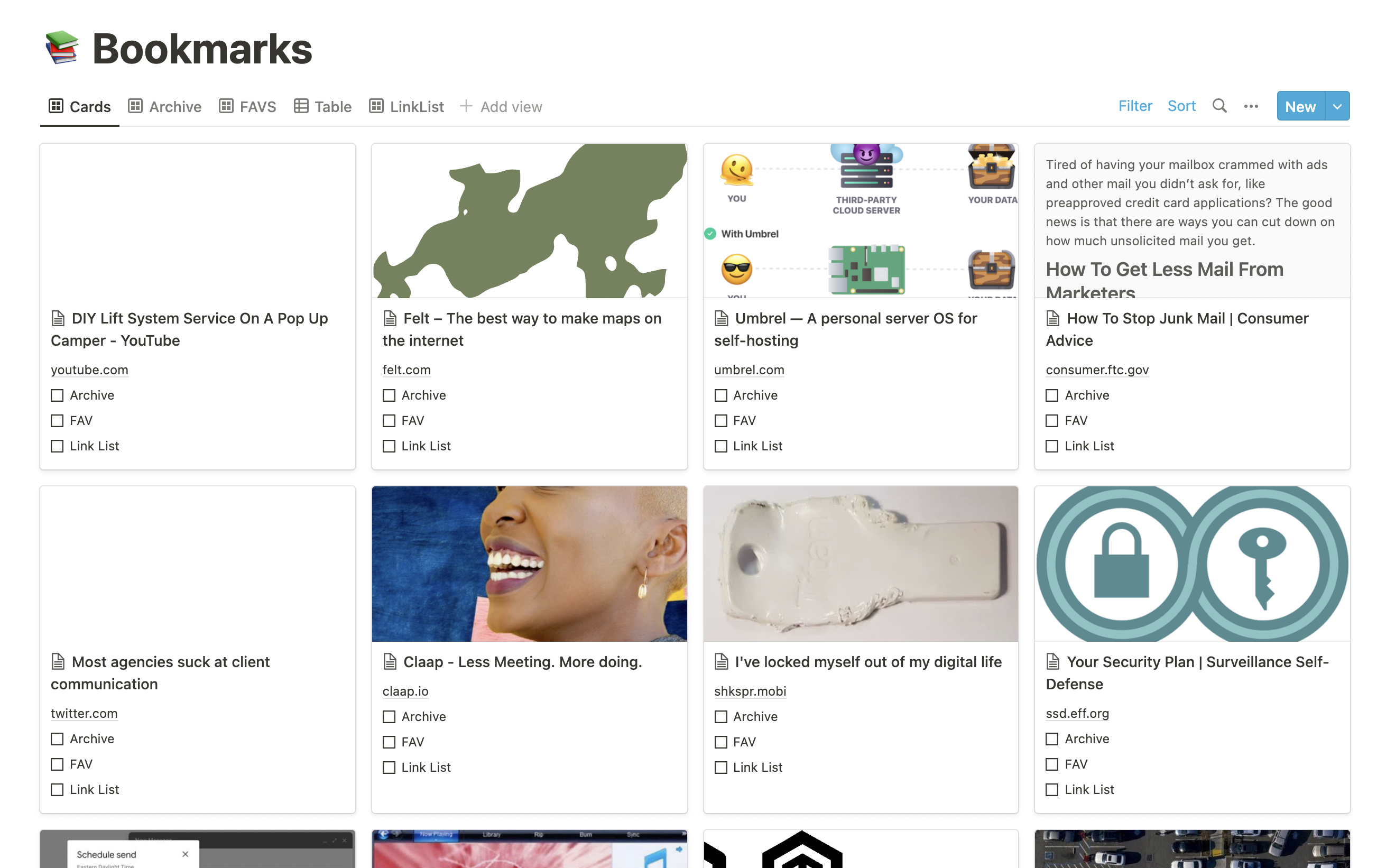
It was a simple setup, starting with a database page titled Bookmarks. I set up a simple set of table columns: Title, URL, Tags, Archive, FAV, Date and Via. I then added a Gallery view and set the content as thumbnail. It’s a nice way to browse bookmarks. The web clipper does a good job of pulling in the article content where it can, so it also acts as a long term save for web pages in case they go missing later on.

Notion Bookmarks

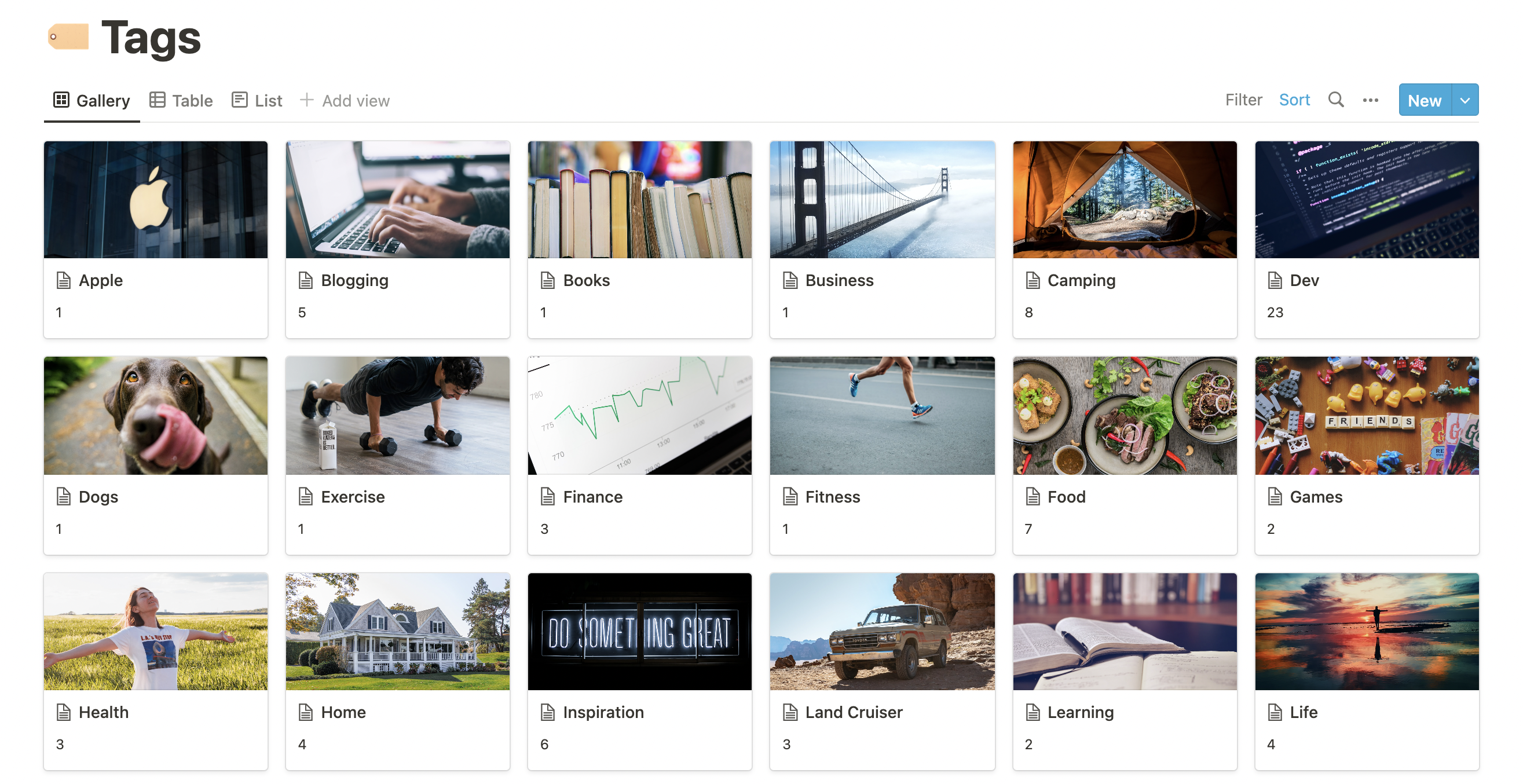
I also set up a second database page that manages the tags. I could have just used a multi-select field for this, but having it as it’s own page allows me to set up a tags page. I can easily scan through my tags and see how many links I have in each.

Notion Tags

Installing the Notion app on my Apple devices also adds this clipper functionality to my phone and iPad, so I don’t have to be on my laptop in Safari to save items. I can easily push links to Notion from virtually anywhere.

It’s not without it’s downsides, but I find them to be minimal here. For one, I can’t tag links when I’m saving them. I have to open Notion to then tag the link.

Overall I’m happy with the setup so far. My data is early to export if I do choose to go elsewhere.

Friday Links - plugins, pizza, maps and more

Gathering some interesting linkage I ran across the past week.

I stopped using Google Maps years ago, along with most of their other apps. Apple Maps was rough for awhile, but it has improved dramatically in the past year. This xkcd comic made me laugh.

Call it being lazy, but I never really looked into Netlify plugins until this week. If you use Netlify, there are some really great little add-ons here.

We LOVE mushrooms at the Sims house. This simple mushroom pasta recipe is on my list to try out.

Keeping the food train of thought here. I typically make a pizza for us on Fridays to have while we play board games or cards. There are some great pizza ideas here.

Scoping projects has always been difficult and it won’t likely ever be solved 100%. This post over at Shopify resonated with me and I’m taking some of these ideas to the team at work to discuss.

We camp a lot. We’ve also been doing more dispersed camping, which is mostly off-grid and not in a typical campground. I found this to be a useful list of apps to look over.

I’ve been using Apple’s Hide My Email a lot recently and find it to be an outstanding tool to manage identity and privacy across so many sites. Mike Lapidakis has some good thoughts over here as well.